
How to Use Agile Estimate
A visual guide to get your team started with planning poker.
🎯 What is Planning Poker?
A collaborative estimation technique where team members vote privately, then discuss to reach consensus
Planning Poker (also called Scrum Poker) is a consensus-based technique for estimating effort or relative size of development goals. Each team member has a deck of cards with values representing the complexity of a task.
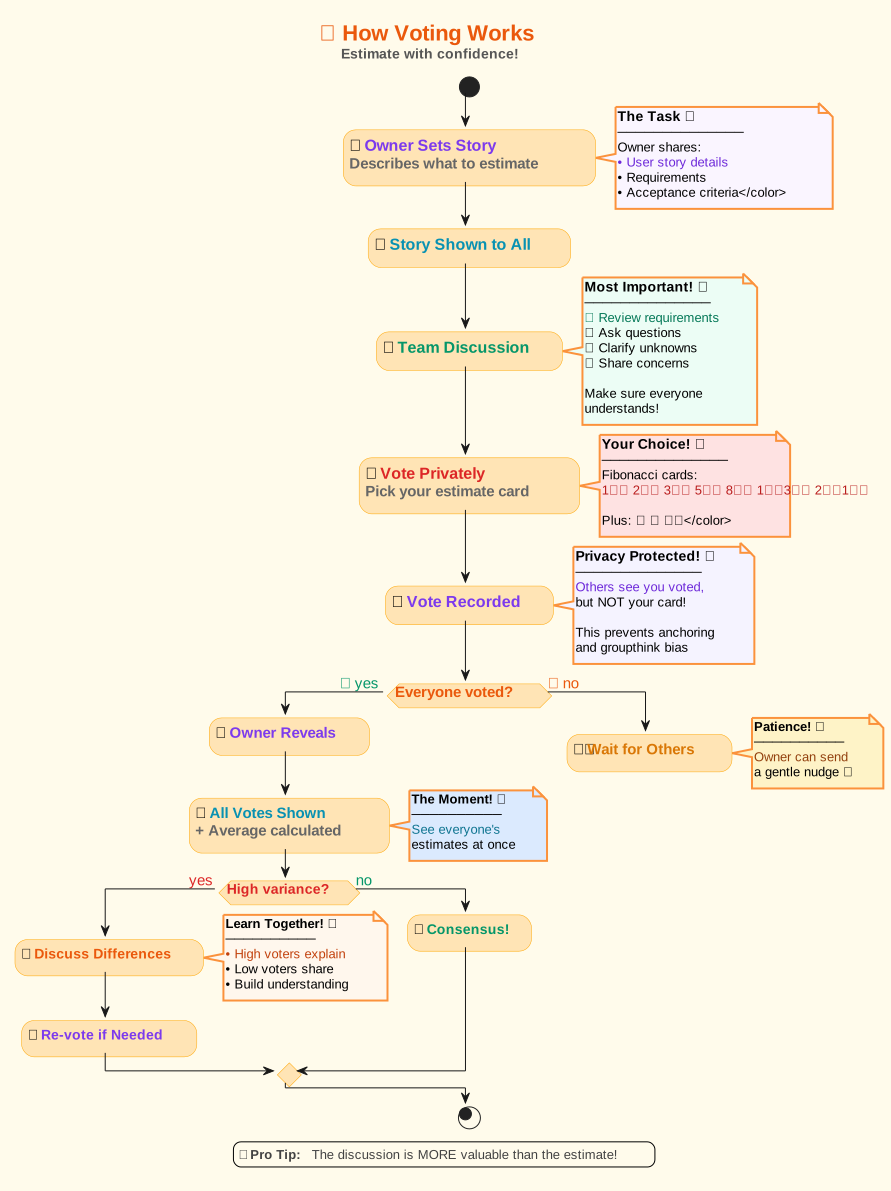
The key benefit? Everyone votes simultaneously and privately, preventing bias from influential team members. When estimates differ significantly, it sparks valuable discussions that uncover hidden complexities and assumptions.
📖 Step-by-Step Guide
Follow these steps to run your first estimation session
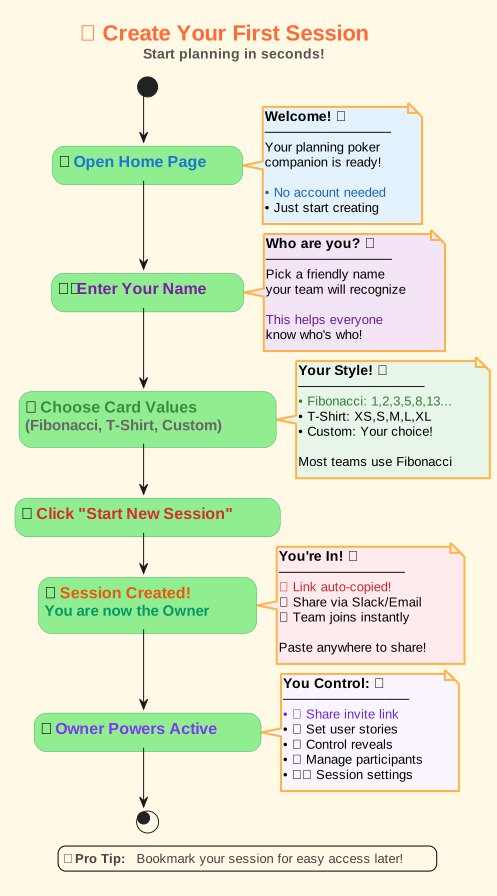
1. Create a New Session
To start, simply enter your name and choose your preferred set of voting cards on the home page. You can pick from standard Fibonacci, T-Shirt Sizes, or create a custom comma-separated list. Click 'Start New Session' to create your private estimation room.
2. Invite Your Team
Once your session is created, you'll be taken to the session room. Click the 'Copy Invite Link' button to copy the unique session URL to your clipboard. Share this link with your team members via email, Slack, Teams, or any messaging app.
3. Join a Session
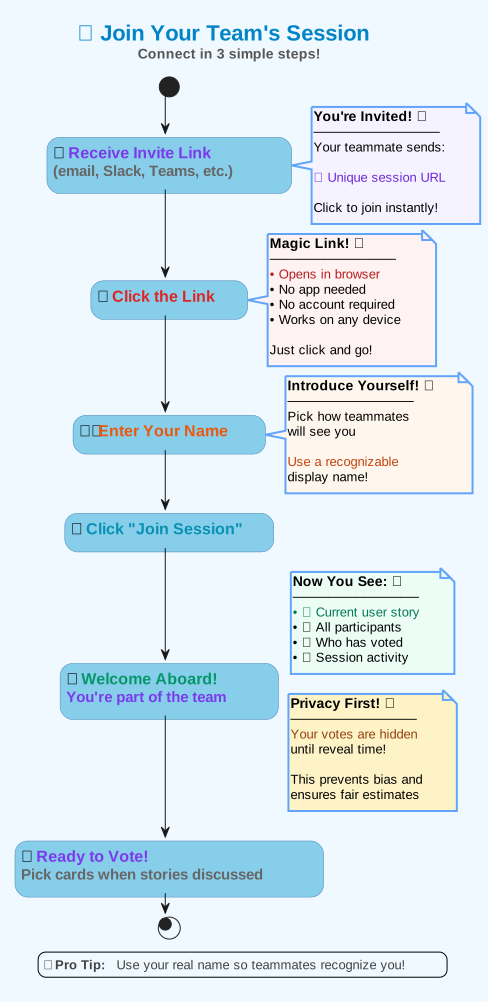
If you have an invite link, just open it in your browser. You'll be asked to enter your name, and then you'll be brought directly into the session with the rest of your team. You can also join by entering the Session ID on the home page.
4. Estimate the Story
The session owner can set the current user story or task by clicking on the story title. As a team, discuss the story to ensure everyone has a clear understanding. When you're ready, each participant privately selects a card that represents their estimate. Your votes remain hidden until the reveal!
5. Reveal and Discuss
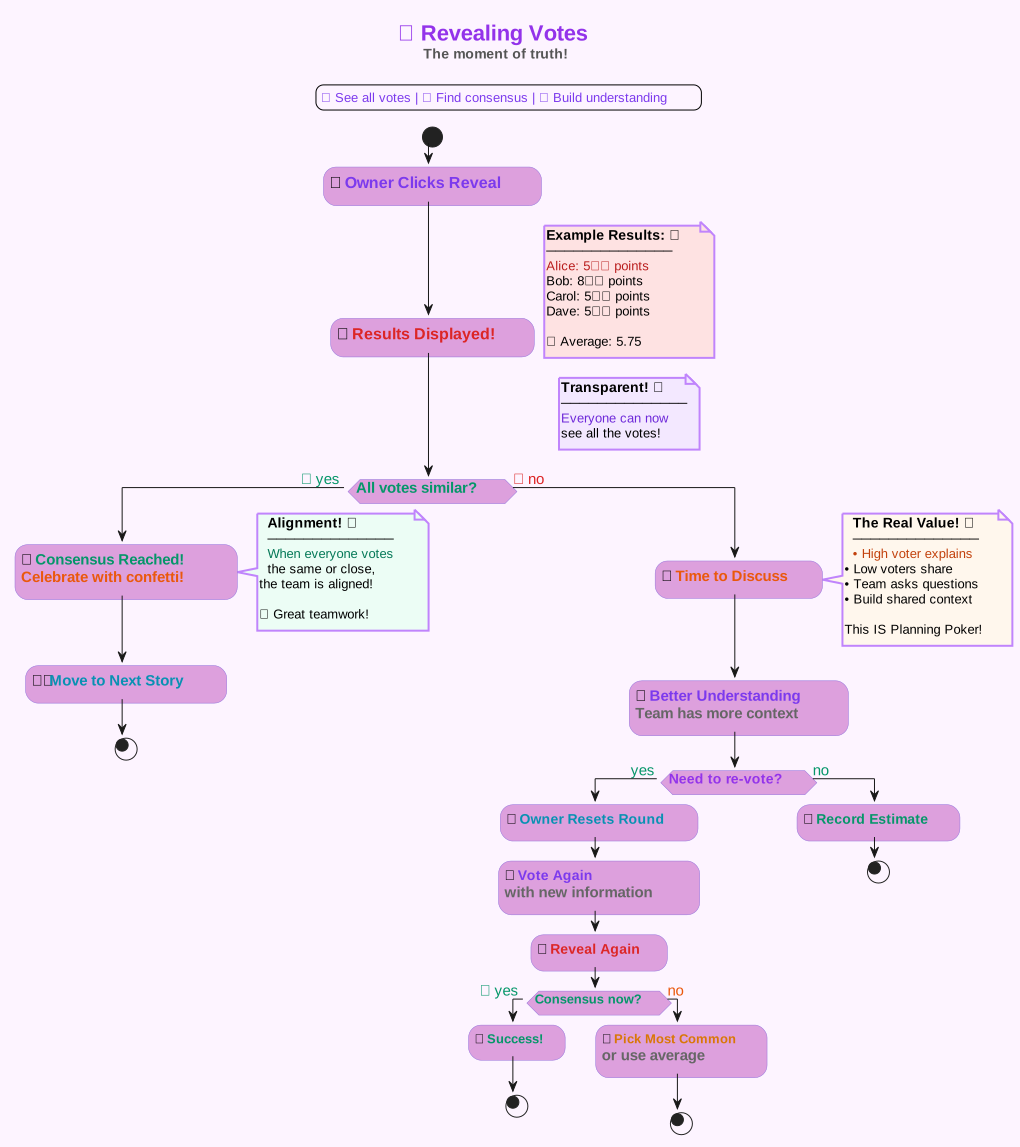
Once everyone has voted, the session owner clicks the 'Reveal Votes' button. All votes are shown at once with the average calculated automatically. If there is a wide variance in votes, the team members with the highest and lowest estimates should explain their reasoning. This discussion is the core of reaching a shared understanding.
6. Manage Your Session
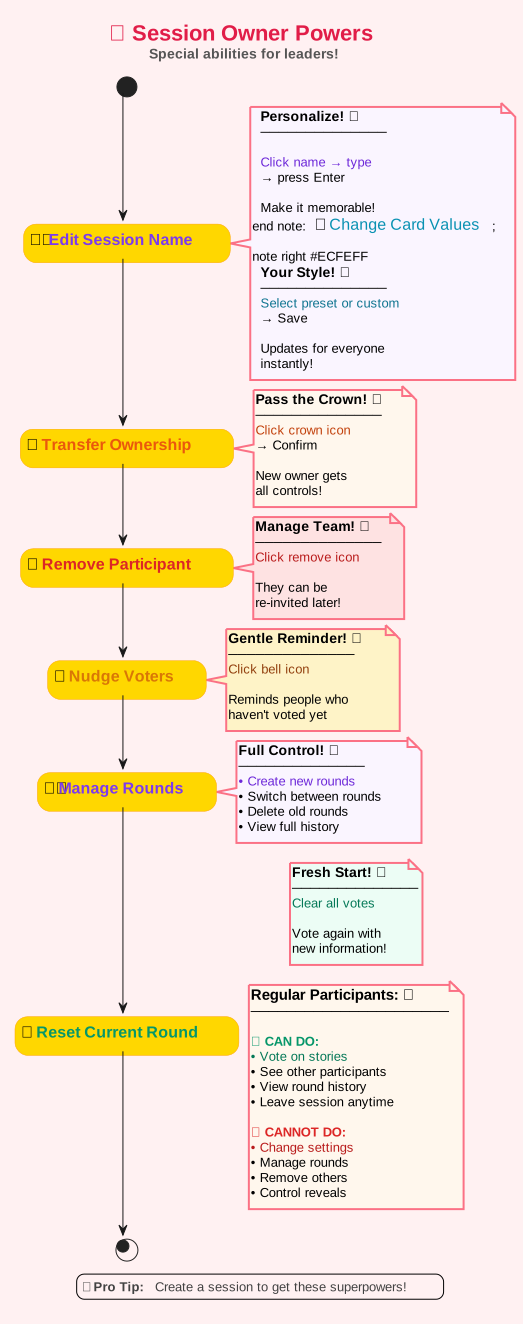
As the session owner, you have full control over the session. You can edit the session name, change card values, transfer ownership to another participant, remove participants, nudge voters who haven't voted yet, and manage all rounds with full history tracking.
7. View Your History
From the main header, you can click on 'History' to see a list of all the estimation sessions you have participated in. This allows you to revisit past estimates and discussions, making it easy to reference previous work.
⚡ Advanced Features
Take your estimation sessions to the next level
⏱️ Auto-Reveal
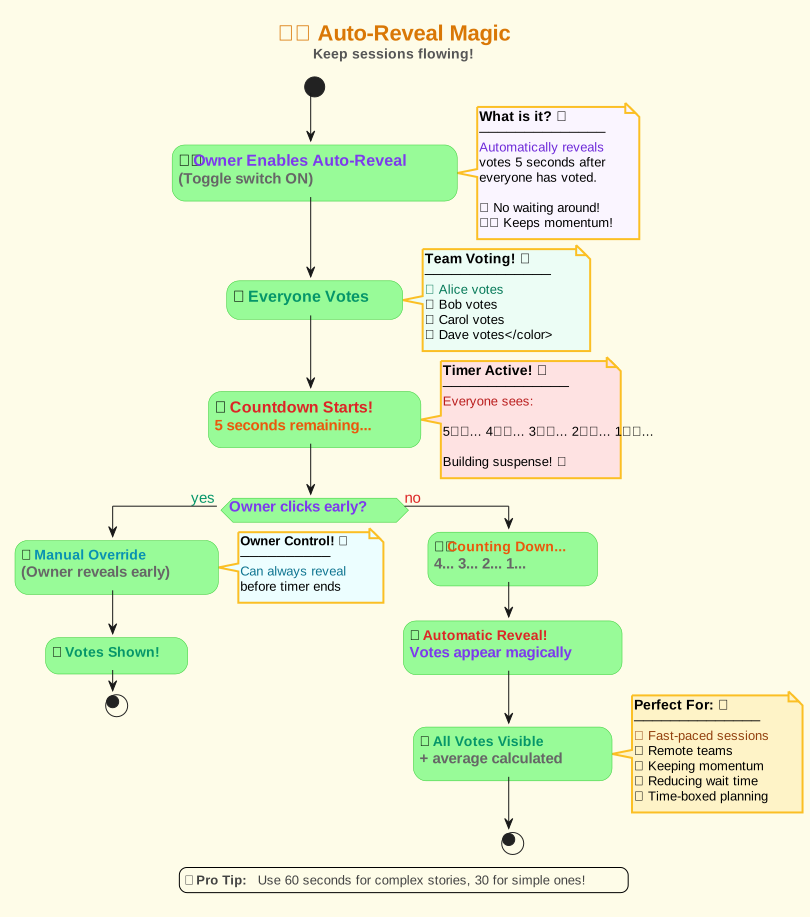
Enable automatic vote reveal 5 seconds after everyone has voted. Perfect for keeping the session flowing smoothly without manual intervention. The countdown timer shows all participants when votes will be revealed.
🔔 Nudge Participants
Send a gentle reminder to participants who haven't voted yet. Click the bell icon in the voting controls to send a browser notification to everyone who hasn't submitted their vote.
👑 Transfer Ownership
Need to hand over control mid-session? Click the crown icon next to any participant's name to transfer session ownership to them. They'll instantly gain access to all owner controls.
🎴 Custom Card Values
Change the card values at any time during the session. Choose from Fibonacci, T-Shirt sizes, Sequential numbers, or create your own custom estimation scale that fits your team's needs.
🎯 Consensus Detection
When all participants vote the same value, the app automatically detects consensus and celebrates with confetti! This positive reinforcement helps teams recognize when they're aligned.
📊 Round History
All rounds are automatically saved with their stories, votes, and average estimates. You can review past rounds at any time, switch back to previous rounds, or delete rounds you no longer need.
🔄 Real-time Sync
Everything happens in real-time! When someone votes, joins, or the owner makes changes, everyone sees it instantly. No need to refresh your browser.